

Landscape design software that works on the customer’s own photo
Start from a photo of the customer’s yard, place real plants at true size, paint mulch and stone, and show how it grows. Then carry the design into the quote.
Try it on a sample yard before you use a customer’s photo.
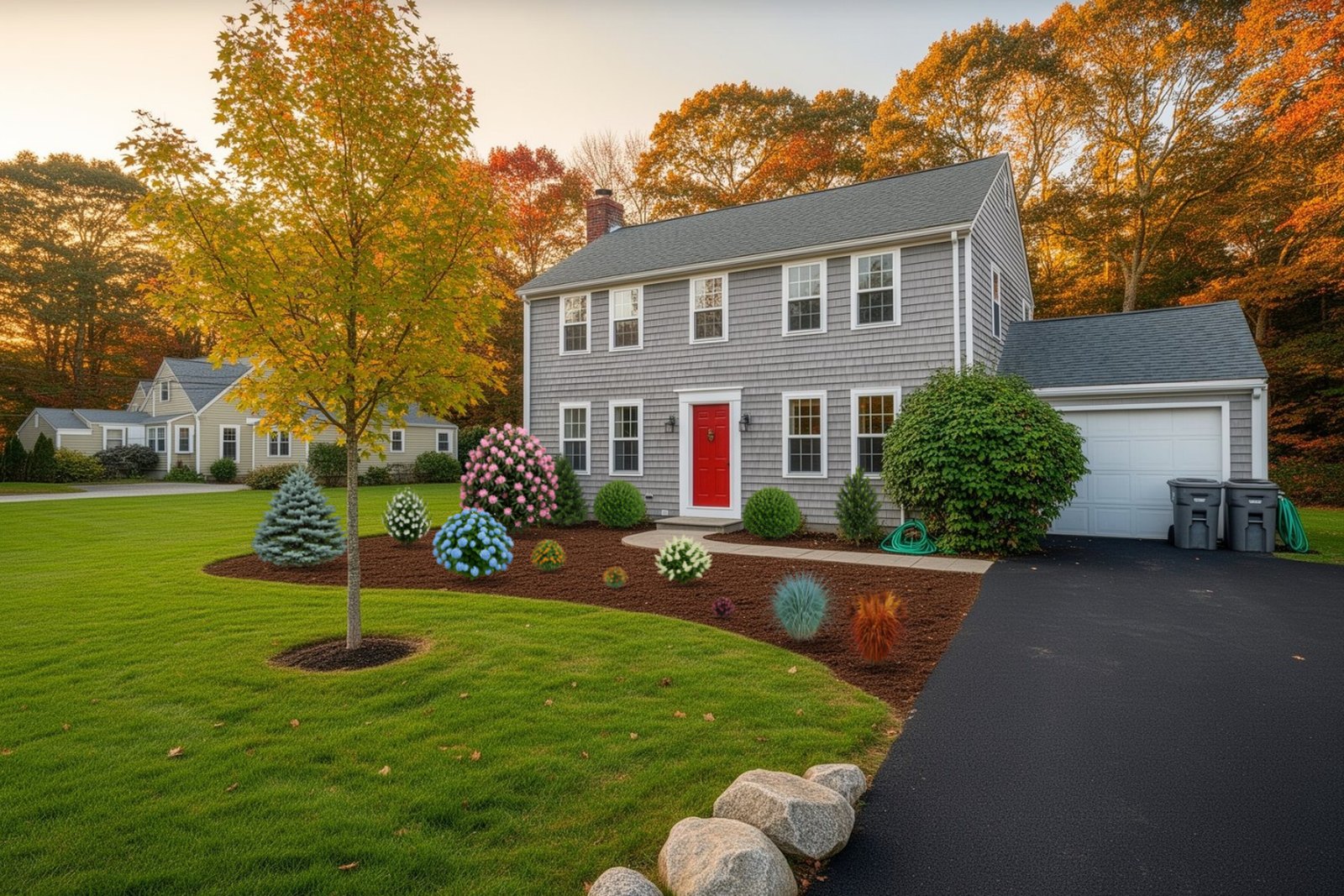
Start from a photo, an aerial view or a sample yard
A design that starts from the real yard is easier to sell than a generic rendering.
Take a photo
The camera shows framing guides and an eye-level line, and uses the phone’s tilt to place that line when a motion sensor is available.
Upload a photo
Use a picture the customer already has. Large photos are shrunk to a working size.
Bird’s-eye view
Find a US address on aerial imagery and design from above at true scale. Measurements on an aerial are accurate; on photos they are estimates.
Sample yard
Five ready-made yards let you or a customer practice first.
Place real plants at true size
The Add tool holds trees, evergreens, shrubs, perennials, grasses, annuals, vines and garden features such as seating, lighting, fire and water. Each card shows the common and scientific name, mature size, growth per year and tags such as native, evergreen and deer-resistant. If you set a hardiness zone, cards say whether a plant is likely to thrive or borderline.
The plant library covers East Coast plants, so check it fits your region before you rely on it. If a plant is missing, you can add your own item from a photo.
Scale matters. Tap the bottom and top of a door, garage door or car and enter its real height, and the Designer sets the camera height so plants land at believable sizes. Choose the size a plant is when planted, such as a 5-gallon shrub, then slide time forward and check the spacing at maturity.
- The fact sheet shows mature size, light, zones, bloom months, fall color and deer resistance.
- Plant ID can help name a plant in a photo.
See it grow: plant age and seasons on the same picture
Drag the See it grow slider, or press Play, and the yard matures year by year. Fully grown jumps to the year everything is nearly full size. A growth chart in the side panel marks the size when planted and the size at the year shown.
Switch between Peak look, Spring, Summer, Fall and Winter. Blooms show in bloom months, fall color shows where a plant has it and deciduous plants go bare in winter. A night toggle makes lighting fixtures and fire pits glow, and holding the eye button shows the original photo.
Customers see why you chose a slower-growing shrub, and what the yard will look like in five years, before anything is planted.
- Season, years and night are saved with the design and used in saved pictures, prints and shares.
- Seasonal changes depend on each plant’s data.
Paint mulch, stone, lawn and pavers
- Pick a material Search or choose a group: mulch, stone and gravel, soil and sand, lawn and groundcover, pavers, natural stone, tile, wood and decking.
- Brush it on Set the brush size, a sharp or blended edge and the opacity, then drag across the ground in the photo.
- Make it look right Sliders control photo shadows, 3D depth and perspective so the material sits in the picture. The sun button flips the lighting direction.
- Or draw clean shapes Draw beds, patios and edging as shapes instead of freehand painting.
- Erase what stays out Remove a bush, bin or hose, or use Everything like this to remove similar areas such as dandelions. A guided screen lets you compare before and after.
Design with AI, and what the AI picture is for
Describe a change in plain words, such as a gravel path with lavender, and Design with AI works out a plan for you to review. Planning is free; some actions such as removing, replacing and restyling use credits, and you see the cost before you confirm. You can say what must stay the same: the house, driveway, camera angle, plants you placed or the fence.
AI pictures carry the label Concept picture, not a build-ready plan. Use them to start a conversation with a customer, then rely on the design and the measured landscape plans to build. You must be signed in, the site owner has to set AI up, and daily limits apply.
From design to quote, schedule and invoice
The design is not a dead end. On a quote you can tap Use one of my designs, and its before and after pictures come in with the list of plants and features.
Design to quote
Carry the design into a quote. Quantities for pricing come from a measured plan or from your own entries, with prices from your price book. See design to quote.
Schedule
A signed quote becomes a job on the calendar.
Invoice
Invoice from the job and get paid by card or bank.
Send and share
Save a picture, print a one-page sheet with a plant list, share a link or send the design to the business. Customers can request a consultation.
Who it is for and its limits
Contractors, designers and design-build firms use it to sell. Homeowners can try the designer, free forever, on their own yard, and designs stay on the visitor’s own device unless they send them to you. A phone works, with a touch-friendly layout.
Limits: the plant library covers East Coast plants; aerial views are for US addresses; photo measurements are estimates; some features and AI credits depend on the plan. If you are weighing several tools, see how to choose landscape software.
Questions about landscape design software
Yes. Take one in the app or upload one, and set the scale from a door, garage door or other object of known height.
No. It is labelled Concept picture, not a build-ready plan. Use a measured plan to build.
Yes. Each follows its own growth data, from the size you plant it to maturity, and shows seasonal color where data exists.
The plant library covers East Coast plants. You can add your own items from photos.
If the site owner turns it on, a Get a quote button sends the design with their name, email and phone.
Keep exploring
Landscape quoting software that starts from the design
Build landscape quotes from a design, a measured plan or a site visit. Use your price book, add e-signature and…
Landscape plan and property measuring software
Measure lawns, roofs, beds and lots from an aerial view, then build a step-by-step 2D landscape plan with…
Design your yard from a photo of your own home
Upload a photo of your own yard, place real plants, paint mulch and stone, and slide forward in time to watch it…
Try a design on a sample yard
Open the designer yourself, or start your free trial to see it connected to quotes and invoices.