

Landscape quoting software that starts from the design
Build a quote from a VisionScaper design, a measured plan or a site visit. Prices come from your own price book, the customer signs on any device, and the signed quote becomes a job.
For landscape contractors and design-build companies. Plan limits are on the pricing page.
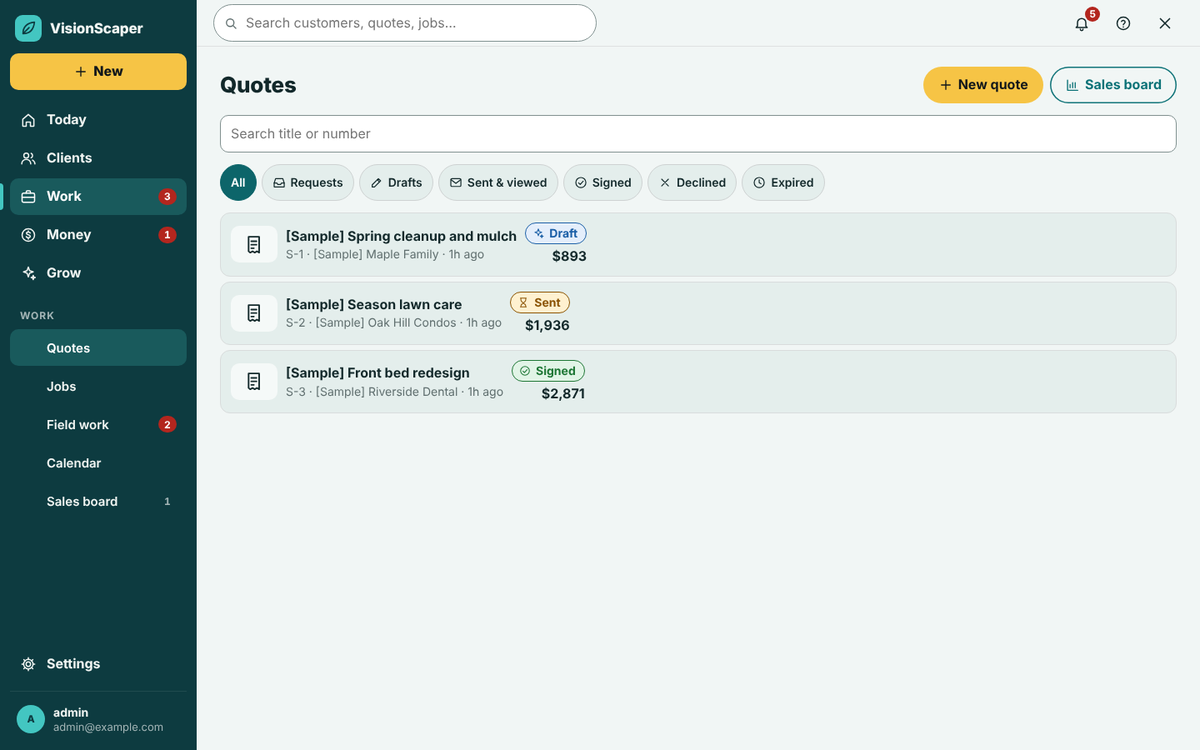
From a design or measured plan to a priced quote
A quote in VisionScaper is one record that moves from request to draft to signed, and the picture the customer liked stays attached to the price.
The numbers come from the shapes, not from retyping, and the same record feeds your job costing, so the estimate you priced is the budget you track. Building a design-and-build proposal? See design-build landscape software.
- Use one of my designs brings the before and after pictures and the list of plants and features into the quote. Start in the landscape design software.
- Use the Landscape plan’s quantities turns the shapes on a plan into quantities and labor hours. Measure the property first so areas are exact. AI is never used for the quantities.
- A customer request arrives as a quote with the status Request and their intake answers attached.
- A recorded walk in the phone app lets you dictate and photograph the property. AI can propose which of your own services you talked about, and you accept, reject or edit every line before one draft is saved. This is off until the owner switches it on.
What a takeoff builds from each shape
| Shape on the plan | Sections the takeoff builds (examples) |
|---|---|
| Bed | New-bed prep when it is new, mulch or stone, edging along the perimeter |
| Lawn | Sod by the pallet, or seed |
| Patio and walkway | Excavation, gravel base, bedding sand, pavers, edge restraint, joint sand, equipment days, delivery, labor |
| Wall | Wall blocks, caps, base and backfill |
| Fence | Fence by the foot, plus gates |
| Plants, boulders, lighting | By type and count |
Pricing you control
Your price book and service templates set the prices
Mulch shows how it works: bed area and depth become cubic yards, plus waste, delivery and labor. Every rate it uses is yours.
Price book
Enter supplier costs, waste percentages and hours per unit once. VisionScaper ships starting values, but they are placeholders. Replace them with your own before you send quotes.
Costs and markups
Set your burdened labor rate, overhead, minimum job, tax and deposit. Price by markup per cost type or by a target gross margin. Check the numbers with the markup and margin calculator.
Service templates
Save each service with its pricing method (flat, hourly, per unit, tiered by size or time and materials), scope, included and excluded tasks and a crew checklist. Crew sheets never show prices.
Template versions
Every edit saves a new version. Quotes already made keep the version they used.
Two views of one quote
The Job cost view is internal: lines for material, labor, equipment and more, with gross profit. The Customer proposal view shows the scope and prices you choose, either per section or total only.
Draft faster with the AI Quoter, then check every price
Describe a job in your own words, or tap an idea such as mulch refresh, paver patio or new lawn, and the AI Quoter writes a first list of work with sizes. It can use the property’s measured areas and the customer’s design.
The AI never sets a price. Your price book and costs price every line. The draft lists what the AI assumed and what is worth checking on site, flags any line that still needs a price, and is saved as an ordinary draft. Nothing is sent to the customer.
The AI Quoter depends on your plan, needs the AI service key set up, and has a fair-use limit.
- Add sizes, what to remove and what to plant for a stronger draft. Polish the wording with AI if you like: it rewrites text only.
Send it, get a signature and ask for a deposit
- Send for signature Pick the contacts and send by email, text or both. Texting needs messaging set up first. Include the before and after picture, the total and what is included.
- The customer reads and signs They open a link on any device, tick optional add-ons, type their name, draw a signature and approve. They can also decline and say why. No account is needed.
- You see it happen The quote moves from Sent to Viewed to Signed. The signature page records who signed, when, and a fingerprint of the scope, terms, total and payment schedule.
- The deposit is ready Signing can create a deposit invoice, saved as a draft unless you choose otherwise. When it is paid, the job shows Deposit paid and ready to schedule.
- A signed quote is locked Extra work goes in as a job change. When the work is done you can invoice from the finished job.
Follow up on quotes that go quiet
| Day after sending | Channel | Starting message |
|---|---|---|
| 1 | Thanks, here is the full proposal | |
| 3 | Text | A quick check that they got it |
| 7 | The before and after again, with what is included | |
| 14 | Text | You are booking this month’s projects |
| 21 | Offer to adjust the plan, phase the work or swap materials | |
| 30 | Email and text | Should I close your file? |
See which lead sources turn into signed work
Follow-ups stop on their own when a customer signs or declines. A decline can include a reason. Wording, timing and channel are editable per quote.
The Sales board adds a win and loss report for the last 90 days: close rate by lead source, the dollars signed, and the reasons you recorded for lost deals. It lives alongside your landscaping CRM. Deals are won when a quote is signed and lost when it is declined, expires or you mark it lost.
Questions about landscape quoting
No. You can add services from your templates, copy a past job, start from scratch, use a measured plan or ask the AI Quoter for a draft. A design simply saves retyping when you have one.
No. The Job cost view is internal. The customer sees the Customer proposal: scope, optional add-ons, total, payment schedule and terms.
No. The starting costs, markups and rates in the app are placeholders. Enter your own supplier prices, labor rate and markups before you send a quote.
A signed quote is locked on purpose. Use Copy as job change for extra work so the original agreement stays intact.
Open your link, type their full name, draw their signature, tick the agreement box and approve. The agreement text says the electronic signature is legally binding.
Keep exploring
Landscape design software that works on the customer’s own photo
Design on a photo of the customer’s own yard with an East Coast plant library, true-scale growth over time…
Landscape plan and property measuring software
Measure lawns, roofs, beds and lots from an aerial view, then build a step-by-step 2D landscape plan with…
Landscaping job costing software: plan versus actual
Compare the plan with what really happened: labor, materials, purchases and expenses on every job, plus overhead…
See a quote built from a design
Start your free trial and take a design, a takeoff and a signed proposal through on your own services.