

Landscape business software that starts with the design
Design a customer’s yard on their own photo, send the quote, schedule the crew, invoice the work and get paid, all in one connected system built for landscape companies.
Works in the browser on phone, tablet and computer. Nothing for your customers to install.
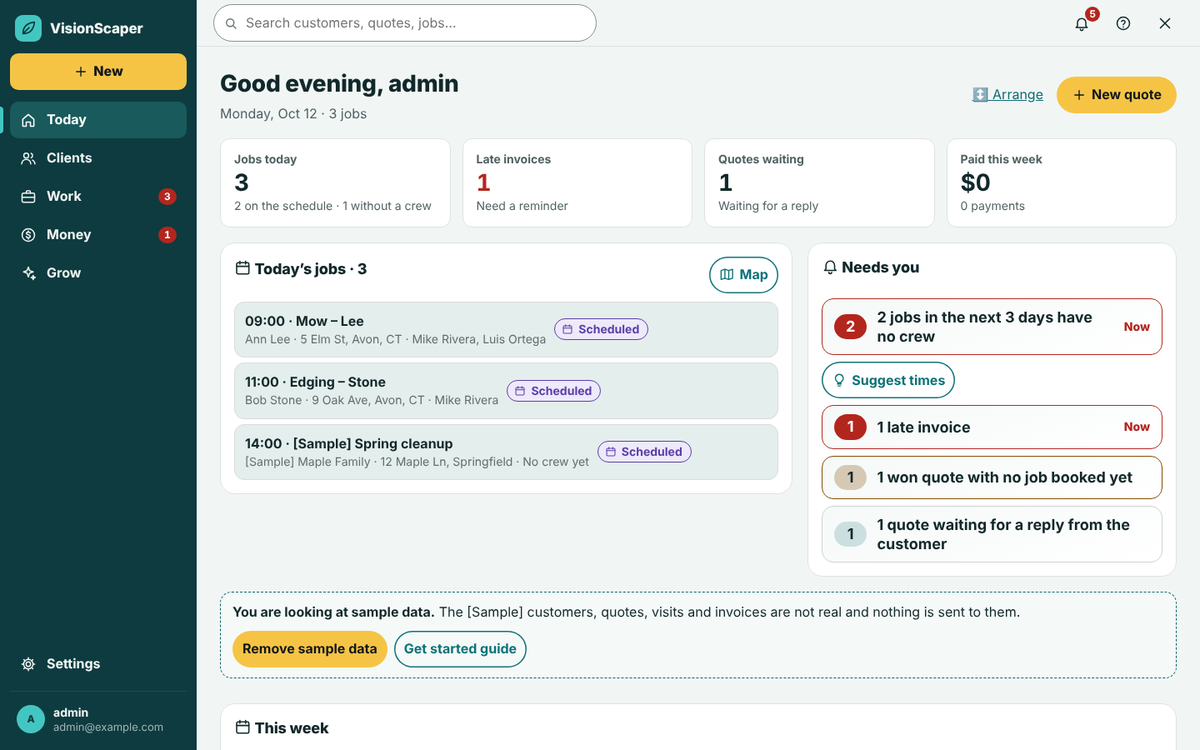
From first photo to final payment: the job in order
Most landscape companies run a job through four or five separate tools and retype it each time. VisionScaper hands each step to the next, so a customer, a property and a design are entered once.
- Show Start from a photo of the customer’s yard and design the finished look.
- Quote Turn the design into a priced proposal the customer signs online from a link.
- Schedule A signed quote becomes a job. Book the day and put a crew on it.
- Do Crew open the job on their phones, clock in and follow the checklist.
- Get paid Invoice from the finished job and take card or bank payments.
Design on the customer’s own yard photo
The Designer starts with a photo: the customer’s own, a sample yard, or a bird’s-eye view of the house. You place real plants and garden features at true size, paint mulch, stone and lawn onto the ground, and draw beds and patios. A “See it grow” bar shows the plants maturing, and you can switch seasons.
The library holds 2,656 East Coast plants and 488 garden features, each with USDA hardiness zones. If you work outside the East Coast, check the plant list first. Designs save on the visitor’s own device until they choose to send them to you, so a homeowner can play with ideas before they ever contact you.
- Photo upload, camera, sample yard or bird’s-eye starting view
- Bird’s-eye imagery covers U.S. addresses
- The Designer is free forever, and homeowners can start without an account


Quote from the design, schedule the crew, invoice the work
Each tool is useful alone. They are better connected, because nothing has to be typed twice.
Quote from the design
Bring a design or measured plan into a quote, with quantities counted from the shapes and priced from your own price book. Send it for e-signature.
Schedule the crew
A signed quote becomes a job on the calendar. Assign people, see who is free, and send customers reminders.
Invoice the work
Make an invoice from the finished job. Customers pay by card or bank through your own Stripe account, and Unpaid invoices shows who to chase.
See what each job earned
Enter materials, crew hours and equipment on a job and compare actual cost with your estimate.
A crew app that shows no prices
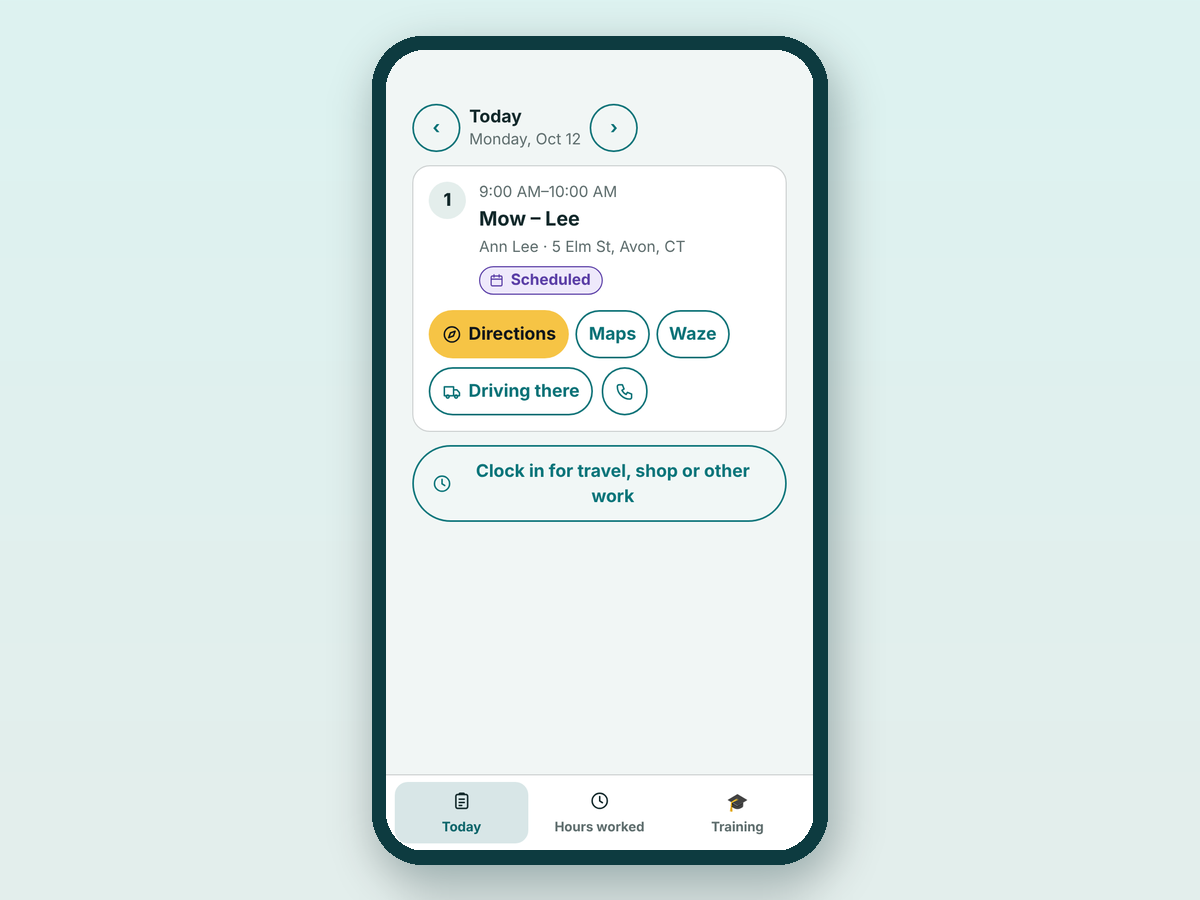
Crew members get a deliberately small phone app with three tabs: My day, Time and Messages (Messages appears when the owner allows it). They see the job, directions and notes, clock in and out, and nothing on the screen shows a price.
Office staff and owners see the full Contractor Hub: customers, quotes, jobs, money and reports.
Built for landscape contractors, design-build firms and maintenance crews
Pick the page that matches how your company earns its money.
Landscape contractors
One login from the first photo to the final payment.
Design-build firms
The design you sell becomes the plan you measure and the quote you send.
Lawn and maintenance companies
Routes, recurring invoices and steadier cash for repeat visits.
Tools for homeowners too: design a yard and ask for quotes
Homeowners can design their own yard, then use Request quotes to send one guided brief, with photos and property details, to the local contractors they pick. A free account is needed to send a request. Approved contractors can list themselves in Find a Local Contractor and receive those requests. It is a way to get landscaping quotes online without a phone call first.
Connects to QuickBooks Online, Xero, Stripe and Zapier
QuickBooks Online and Xero connect from Settings so customers, invoices and payments can flow to your books. QuickBooks Desktop is not supported; use CSV import and export instead. Payments run through your own Stripe account, and text messages use your own Twilio or Telnyx number. In the U.S., texting needs carrier registration before you can send. Everything else works without those connections.
See the integrations and API page for the full list.
Plans that grow with the crew
Plans differ by team size and by how much AI and planning you use. Check the live plans below, or read the full landscape software pricing page.
Starter
Owner + one crew leader
$59 per month$590 per year
$49 a month, billed yearly
Billed monthly
Choose Starter- 1 field employee
- 50 AI credits a month
- No landscape plan generator
- 5 GB storage
Most popular
Professional
A growing company
$129 per month$1,290 per year
$108 a month, billed yearly
Billed monthly
Start 30-day free trial- 5 field employees
- 200 AI credits a month
- 3 landscape plans a month
- 25 GB storage
Business
A multi-crew operation
$249 per month$2,490 per year
$208 a month, billed yearly
Billed monthly
Choose Business- 15 field employees
- 750 AI credits a month
- 15 landscape plans a month
- 100 GB storage
Pro+
Large or multi-location company
$499 per month$4,990 per year
$416 a month, billed yearly
Billed monthly
Choose Pro+- 50 field employees
- 2,500 AI credits a month
- Unlimited landscape plans a month
- 500 GB storage
30-day free trial. A card is required, and it is not charged until day 31. Cancel from Plan & billing in one tap. Compare every plan
Questions before you start
It is built for U.S. contractors. The plant library is made for East Coast growing conditions and lists USDA zones for each plant. The free bird’s-eye starting view uses Connecticut statewide aerials and U.S. imagery elsewhere; if a view is missing, start from a photo.
No. Quotes, invoices and the customer portal open from a link in a browser, and the Designer runs in the browser too.
Yes. The crew app is phone-first with three tabs and no prices.
Payments use your own Stripe account and texts use your own Twilio or Telnyx number. Both connect from Settings.
Each business gets one free trial. Terms and allowances are shown on the landscape software pricing page and at sign-up.
See it on your own jobs: start free trial
Bring a real job and take it from photo to payment.