

Landscaping profit margin: how to work it out and raise it
Margin is the share of the price you keep. Learn how it differs from markup, how to set a target that covers overhead, and where it leaks.
Written by the VisionScaper team. Last reviewed 15 October 2026.
Margin and markup are not the same number
Markup is the percent you add on top of cost. Margin is the share of the selling price you keep. The same job has two different percentages, and mixing them up is a common reason landscapers underprice.
Markup = (price − cost) ÷ cost. Margin = (price − cost) ÷ price. Add 50 percent to a cost of 1,200 and the price is 1,800, but you keep 600 of 1,800, which is 33.3 percent. VisionScaper’s Costs & markups screen has a hint that says the same thing: a 50 percent markup equals a 33 percent margin.
The table converts markup to margin using margin = markup ÷ (100 + markup). The arithmetic is exact, so it is not a benchmark.
Markup and the margin it produces
| Markup on cost | Margin on price |
|---|---|
| 25 percent | 20.0 percent |
| 50 percent | 33.3 percent |
| 75 percent | 42.9 percent |
| 100 percent | 50.0 percent |
What counts as cost before you apply either
Margin is only meaningful if cost is complete. Start with direct cost: materials, crew hours at a loaded labor rate, equipment, subcontractors, disposal and delivery. Then add your share of overhead: trucks, insurance, the office, the owner’s admin time.
VisionScaper asks for a Labor cost per hour (wage plus payroll taxes, workers’ comp and insurance) and an Overhead (%) in Settings, Costs. If you do not know your overhead number, the guide to landscape job costing shows where actual costs come from.
Worked example: from cost to price
Illustrative example, not a benchmark: the numbers are made up and round.
A job has 1,000 dollars of direct cost. Overhead is 20 percent, so full cost is 1,000 × 1.20 = 1,200.
Markup method. A 50 percent markup gives 1,200 × 1.50 = 1,800. Gross profit is 600, a margin of 33.3 percent.
Margin method. To keep a 40 percent margin, divide cost by 1 minus 0.40: 1,200 ÷ 0.60 = 2,000. Gross profit is 800, which needed a markup of 66.7 percent.
VisionScaper lets you choose either way under Pricing method: Markup by category (a percent on each cost type) or Target gross margin, where every cost is priced so profit equals your target percent of the price. The manual advises picking one method and staying with it.
What is a good profit margin for a landscaping business?
There is no honest single number. A good margin is one that pays your overhead and leaves the profit you need, and that depends on how many billable hours you sell and how much overhead you carry. This guide does not quote industry averages because we have no dated, linked source to cite.
You can work out your own target. Gross margin needed = (yearly overhead + target profit) ÷ yearly revenue.
Illustrative example, not a benchmark: overhead 120,000, target profit 60,000, revenue 500,000. (120,000 + 60,000) ÷ 500,000 = 36 percent. If your jobs average less than that, overhead and profit are not fully covered, however busy the crew is.
Overhead per labor hour
Another way to see it is per hour. VisionScaper’s Overhead budget (a year) card, at the bottom of Plan vs actual, takes four inputs: Year, Overhead for the year, Billable labor hours and Target profit. Tap Work it out to see Overhead per labor hour, profit per hour, overhead as a percent on direct cost and a suggested markup.
Illustrative example, not a benchmark: 120,000 ÷ 6,000 billable hours = 20 per labor hour, and a 60,000 profit target is 10 per hour. Billable hours means hours you charge for, not total hours paid, which is why drive time and idle days push the rate up.
Nothing changes until you tap Use this, and only new quotes use it. Existing quotes and invoices keep their numbers.
Raise your margin in VisionScaper, step by step
- Check the totals bar on every quote The Job cost (internal) tab shows Your cost, Price and Gross profit with a percent. It goes red under 25 percent, a built-in warning line.
- Fix the price book first The Price book holds your material costs, waste percentages and hours per unit. The values it ships with are placeholders, not your prices. Replace them with real supplier prices and your crew’s real speeds.
- Protect small jobs Set Minimum job and Mobilization per job in Costs & markups. Quotes under the minimum are raised to it.
- Ask for a deposit Set Deposit when signed (%), or edit the payment schedule under Terms & payments. A deposit does not change margin, but it keeps cash coming in while materials are bought.
- Handle changes as job changes A signed quote is locked. Use Copy as job change so extra work is priced instead of absorbed.
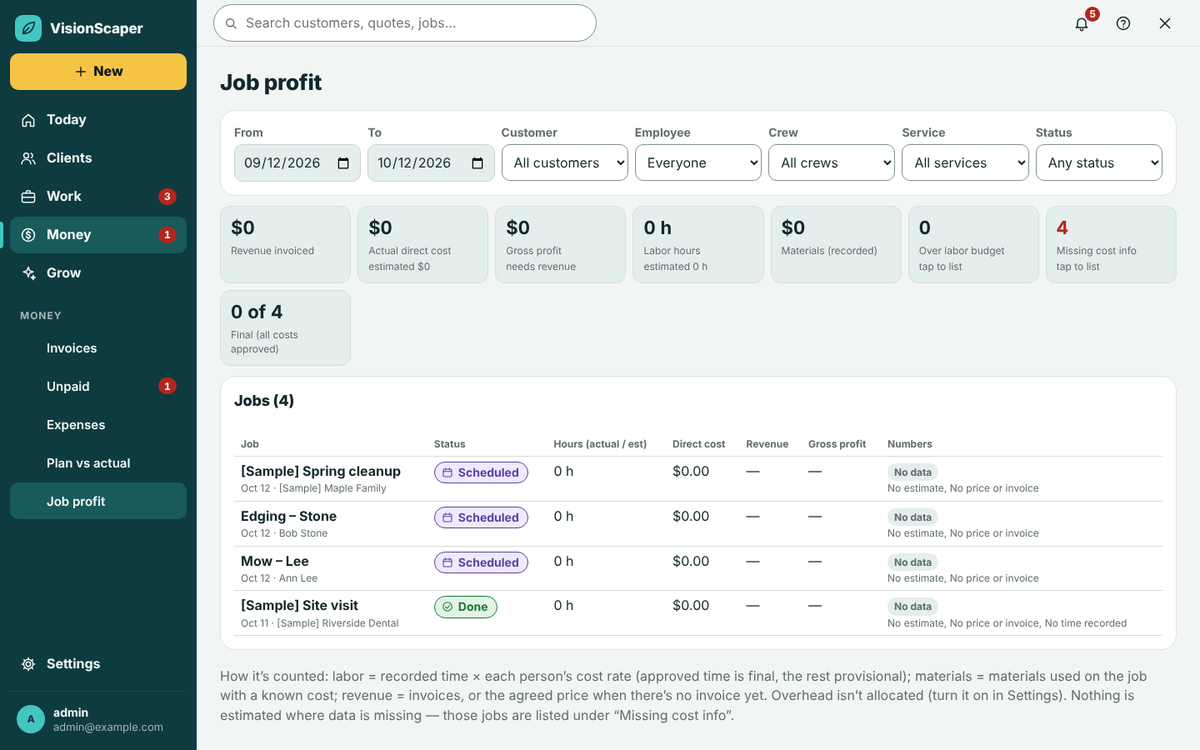
- Compare plan to actual on finished jobs Open Job profit and Plan vs actual. Adjust the service template or price book where jobs keep running over, so the next quote is priced from what happened. More on this in job costing software.
Where margin usually leaks
- Hours: the estimate used a faster production rate than the crew achieves.
- Unquoted extras: access problems, extra dump runs, a second delivery.
- Discounts: the quote has a Discount field, so every discount comes straight off profit.
- Free overhead: trucks and insurance not priced into jobs.
- Unbilled time: drive time, callbacks and waiting counted as free.
Use alerts so a thin margin does not hide
Plan vs actual has a Profit alerts list at the top. Each row says Over budget level or Margin under target, and you can tap it to open the job. For one job you can set Alert at % of budget and a Margin floor %. If you manage the team, you can also tick an email digest for managers when a job crosses its line.
The company defaults are your starting point. Set a floor from your own target in the section above rather than copying a number from someone else’s business.
Questions about landscaping profit margin
No. Gross profit here is price minus job cost. Net profit is what remains after all overhead and other business costs. Compare the two so overhead is not forgotten.
Either works if you use it consistently. Margin is easier to compare to a profit target; markup is easier to apply line by line. The markup and margin calculator shows both.
Usually actual hours or materials ran over. Compare estimate to actual using the method in the guide to landscape job costing.
Not blindly. Find which services run under your target on Job profit first, then adjust those templates.
Try it in VisionScaper
Set your costs and markups once, then watch margin on every quote. Learn more about quoting with your price book or start your free trial.