

Landscaping invoicing software with online payments
Invoice from the finished job, let customers pay by card or bank on a payment page, and keep deposits, repeat invoices and your accounting in step.
Online payments run through Stripe. Some features depend on your plan.
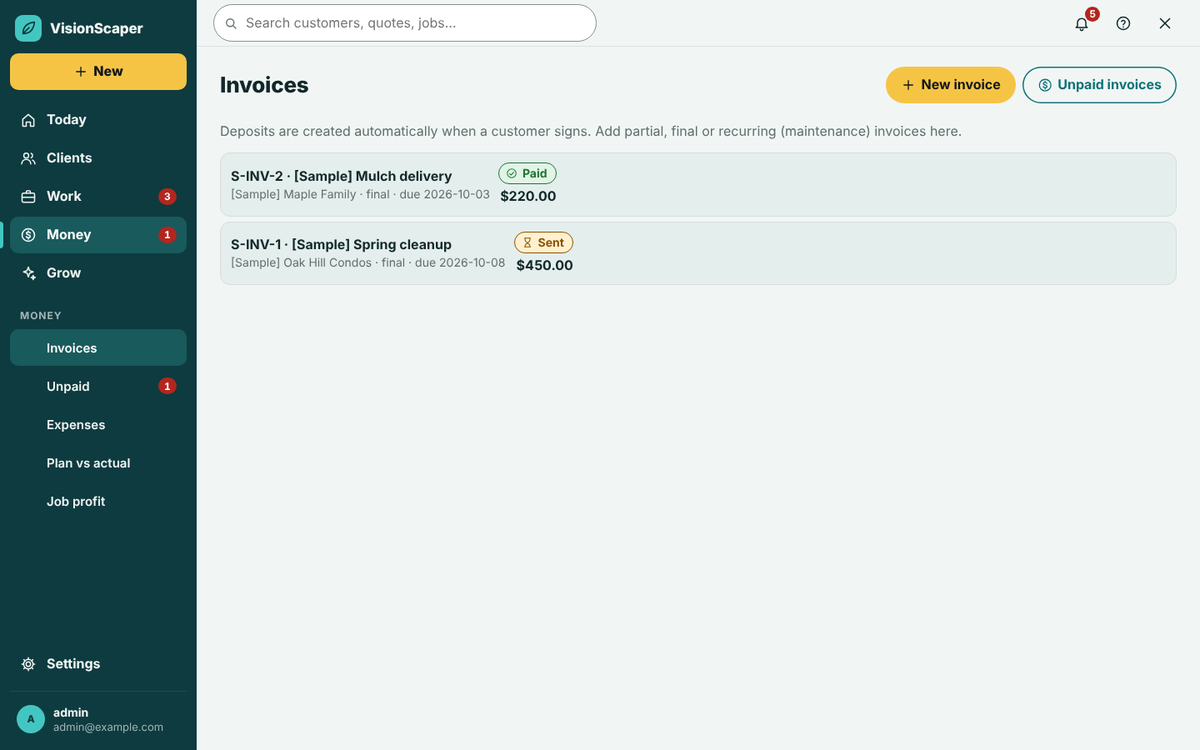
Invoice straight from the finished job
When you mark a job done, the quote’s main button becomes Invoice it. The invoice is tied to the quote, so the invoices for one quote can never add up to more than the quote total plus signed change orders.
Choose a type: Deposit, Progress, Final, Recurring or Other. Add lines, set a due date and watch a live preview that matches what the customer will see. Save a draft, then Save and send by email, text or both. Texting needs messaging set up and a plan that includes it.
The customer opens a web page in your design, with your logo, line items, notes and terms. They do not need an account. Start from signed quotes and see job profit once it is paid.
- Add a sales tax rate by default or per invoice, and untick Taxable on lines that are not taxed. You type the rate. VisionScaper does not look rates up.
- Print or save as a PDF from the same page.
Card and bank payments on a payment page
| Method | How it works | Speed |
|---|---|---|
| Card, Apple Pay, Google Pay | The customer pays on Stripe’s secure page | Money reaches your bank in about 2 business days |
| Bank account (ACH) | The customer pays from a bank account. The invoice shows Bank payment clearing until the bank confirms | About 4 business days |
| Cash, check or other | You record it yourself, including partial payments | As soon as you record it |
A processing fee is taken from each online payment, and the activity log on the invoice shows the amount, the fee and what you receive. The Get paid online screen shows the fee rates in plain words, so check them before you offer online payment. If you record a cash or check payment, the pay link will not charge the full amount again. You can also void an invoice with a reason. It stays in the log.
Deposits and staged payments for large jobs
A payment schedule splits the job into payments you choose.
Deposit at signing
Set a default deposit percentage and a payment schedule. When the customer signs, a deposit invoice can be created for you, saved as a draft by default.
Milestones
Add rows such as a payment when the hardscape is complete, and bill progress and final invoices as the work moves.
Ready to schedule
When the deposit is paid, the job shows Deposit paid and ready to schedule.
Customer financing
On plans that include it, you can send a financing apply link from your own lender and track the application. VisionScaper never lends and makes no credit decisions.
Recurring invoices for maintenance customers
For mowing and maintenance customers, set Repeats on an invoice to every week, every 2 weeks, every month, every 3 months, every year or a custom interval from 1 to 365 days, weeks, months or years. A service template with a billing frequency fills this in for you.
When the due date passes, VisionScaper makes the next copy, sends the customer the link by email and starts its reminders fresh. Void the latest invoice to stop a chain. Check the customer’s email first, because copies go out automatically. Repeating invoices pause if your own VisionScaper subscription is suspended.
Reminders for unpaid invoices and autopay
| When | By | On at the start? |
|---|---|---|
| 3 days before due | On | |
| On the due date | Email and text | On |
| 3 days after | Text | On |
| 7 days after | Email and text | On |
| 14 days after | On | |
| 30 days after | Off |
That is the starting reminder plan. Edit the wording, timing and channels, or change the plan for one invoice. Reminders stop when the invoice is paid and texts never go out overnight. The Unpaid invoices screen groups what you are owed as current, 1 to 30, 31 to 60, 61 to 90 and 90+ days late, with a Remind button and an emailed statement for each customer.
Autopay lets a customer save a card or bank account with Stripe so an invoice you mark for autopay is charged on its due date. The site owner must switch it on first. Failed charges retry on a schedule you set and both sides are told.
QuickBooks Online and Xero sync
Connect QuickBooks Online and choose import only, export only or both ways. Turn on the money sync and sent invoices, recorded payments and, if you tick it, approved expenses go across. Nothing is deleted in QuickBooks: a cancelled invoice is voided with the reason in the note. If both sides changed, the item goes to a Needs your review list instead of being overwritten. QuickBooks Desktop is not supported.
Xero sync is one way: VisionScaper sends customers, invoices and payments to Xero and does not read Xero back. It is a plan feature. Setup details are on the QuickBooks and Xero sync page.
- Your service templates become items in QuickBooks.
- Draft invoices and repeating master invoices are never sent.
- Customers with a VisionScaper account also see their invoices in the customer portal.
- Price the work with the markup and margin calculator.
Questions about landscape invoicing
No. They open the link from your email or text and pay on the invoice page. An account only adds the customer portal and autopay.
A card reader page is available on plans that include it, and the card is read in the VisionScaper phone app. Ask us through the contact page which setup suits you. You can always record cash or check payments yourself.
Online card and bank payments run through your own Stripe account. Without it the customer sees a plain invoice with your how-to-pay instructions.
Only for customers who agree to it and only after the site owner switches it on. A customer can remove their saved method at any time.
QuickBooks Online, both ways or one way as you choose, and Xero, one way. For other tools, see the Help Center for what you can export.
Keep exploring
Landscape software integrations and API
Connect QuickBooks Online, Xero, Stripe, Google and Zapier, or use scoped access keys, a REST API and signed…
Landscape quoting software that starts from the design
Build landscape quotes from a design, a measured plan or a site visit. Use your price book, add e-signature and…
Landscaping job costing software: plan versus actual
Compare the plan with what really happened: labor, materials, purchases and expenses on every job, plus overhead…
Invoice from the job, get paid on one page
Start your free trial and set up deposits, payment links and the accounting sync with your own services.